Desired state that can be previewed, compared and applied.
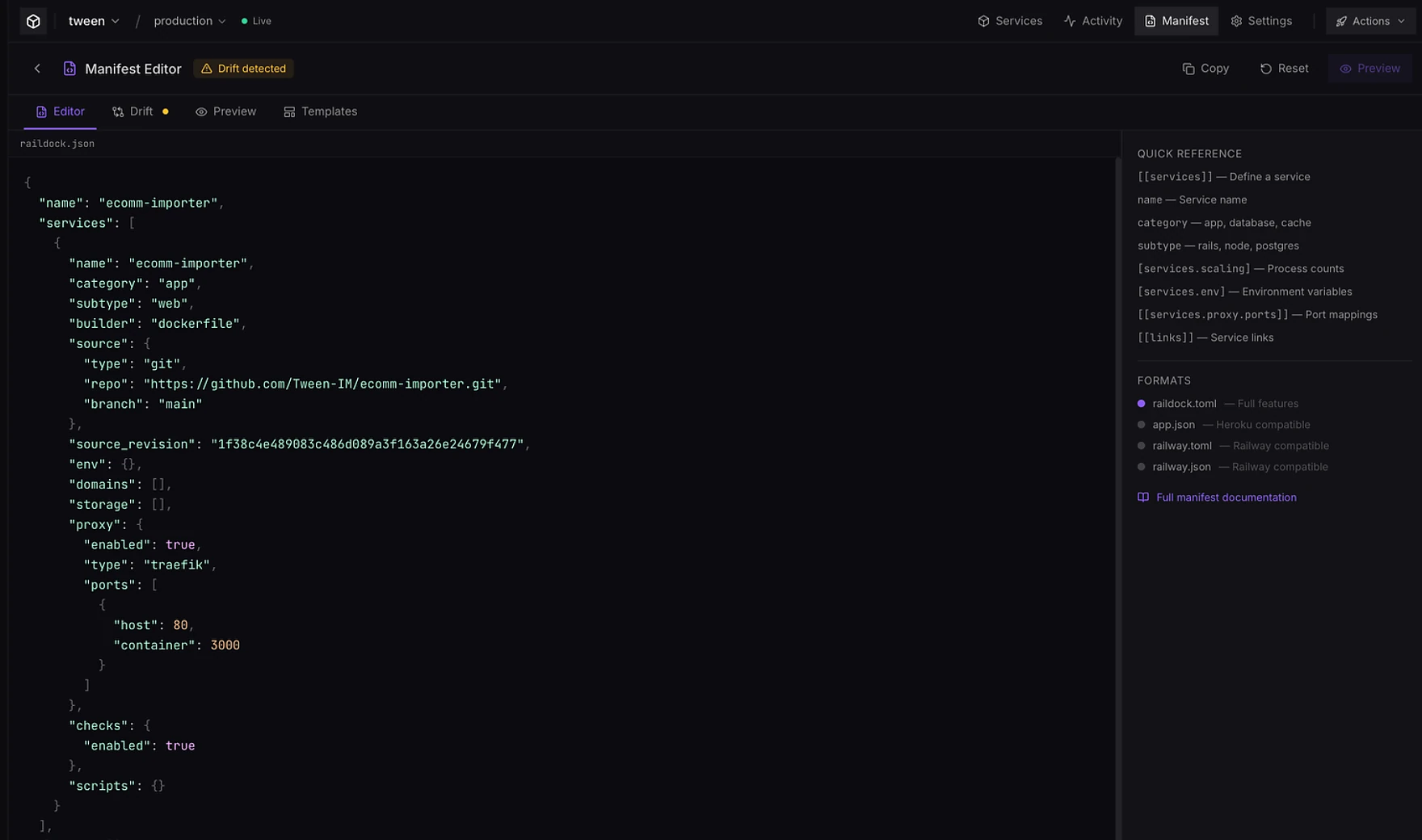
The manifest editor turns project configuration into an inspectable control-plane workflow: parse the declaration, detect drift, preview the plan, then reconcile the running project.
The declaration and the running project stay in view together.
The editor exposes service structure, scaling, environment, proxy ports and service links, while the drift view tells operators when runtime state no longer matches the declaration.
Plan → order → apply → verify.
Desired-state execution is useful only when operators can reason about what will happen. RailDock separates planning from mutation, orders dependency-sensitive work and records the resulting state.
Load desired state
Parse the manifest and map declarations to project services.
Compare actual state
Detect creates, updates, links, removals and drift that can be corrected without rebuilding everything.
Respect dependencies
Order datastore and application mutations so dependent services do not race ahead.
Apply and observe
Execute host operations and expose progress through the control plane.
Make project state inspectable and repeatable.
Start with the manifest guide, then use preview and drift as part of the normal deployment workflow.